New feature · Thumbnails
Studio makes thumbnails in your style, on its own
Connect your YouTube channel, Studio reads how your thumbnails look, and for the next videos it makes them for you. In your style, not in a generic template.
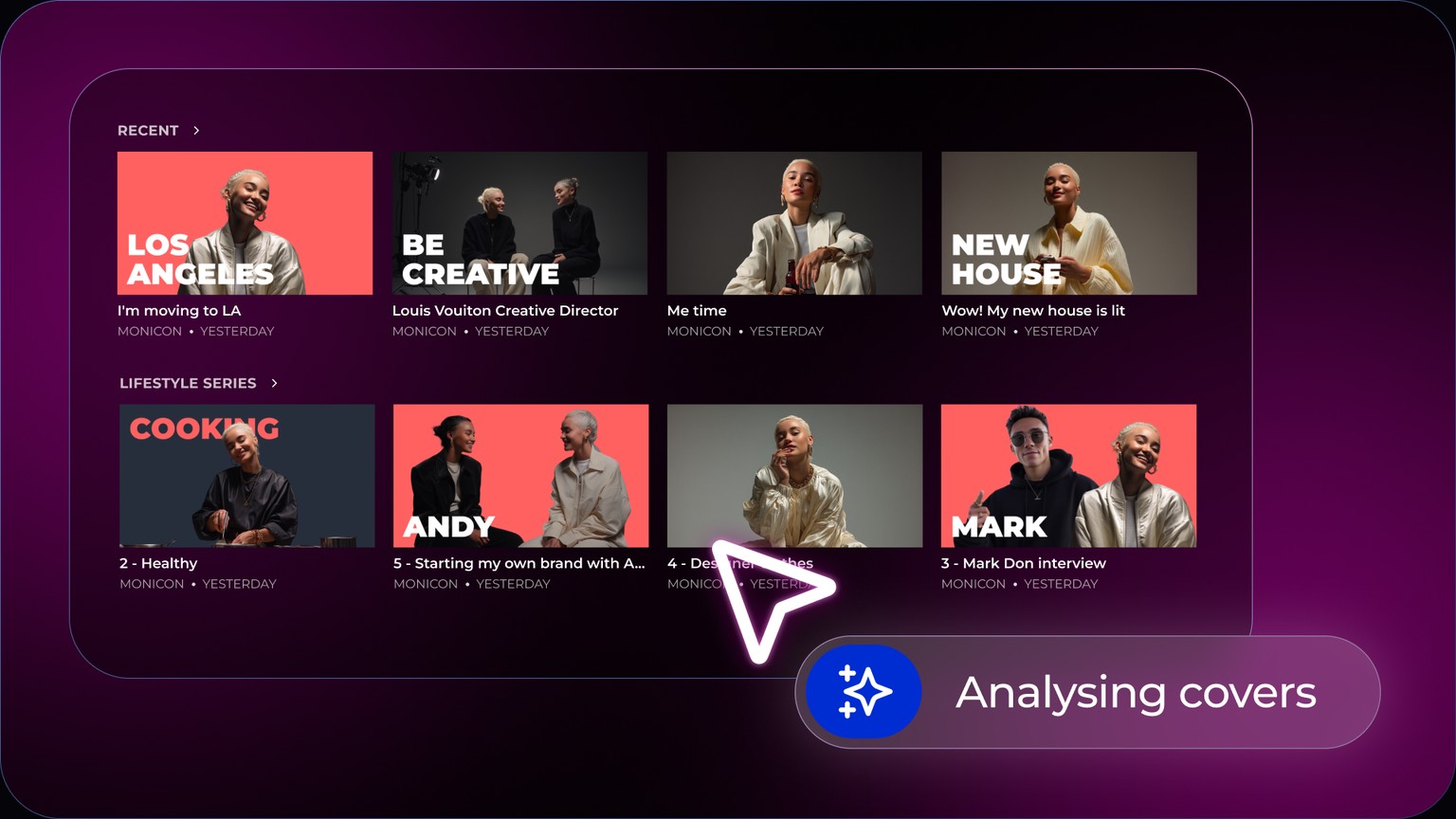
The decision still stays with you. For every video you get several options: a graphic thumbnail built in your style, plus frames pulled straight from the video that you can choose from as well. And you can always upload your own. Nothing goes out without your click.
How it works in three steps
- Paste your channel link. In the wizard, or in settings under AI skills, you paste your YouTube channel address and hit „learn".
- Studio learns your style. It goes through what you already have out there and pulls out what repeats.
- The rest runs by itself. Every new video comes with suggestions ready. You pick one, or upload your own.
What Studio reads from your channel
It does not look at a single thumbnail, but at the whole run of them, to find what keeps coming back.
- ColoursYour palette. Which colour is primary for you, which is secondary, and in what ratio they return.
- TextWhere you put it, how big it is, how many words you allow yourself.
- FaceWhether it is there, how large, on which side, and with what expression.
- CompositionHow you lay out the frame. What goes in the centre, what goes to the edge, how much space you leave empty.
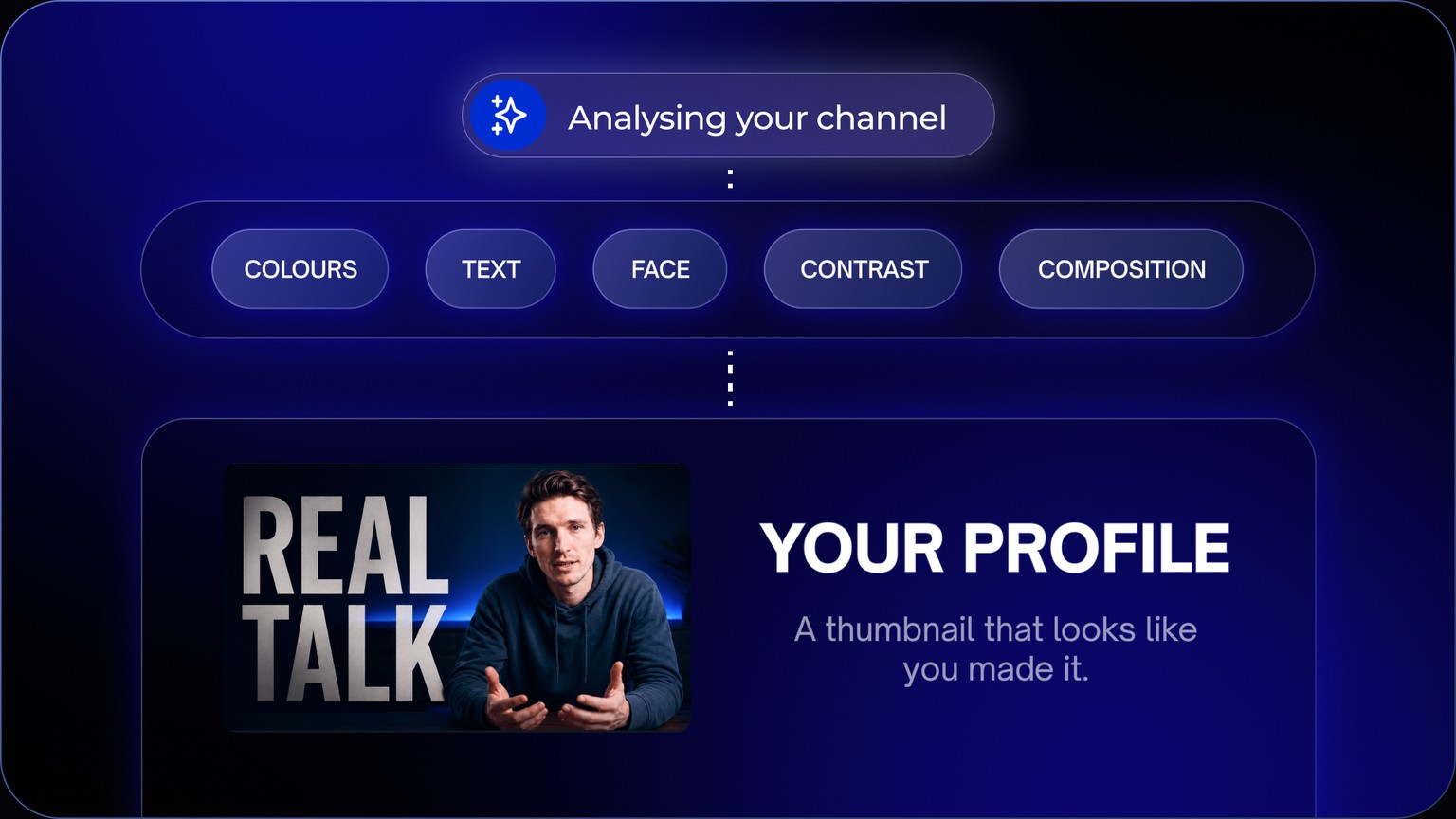
That becomes your profile. Not a template everything gets forced into, but a set of rules you can build a new thumbnail from that still looks like yours.
You choose what actually goes out
Your own thumbnail
Got one you want to use? Upload it the way you always have. Studio does not argue.
Ours, built on your style
No time or no appetite for it? Take the one that is ready. It comes out of what already worked for you.
The rest of this article is about why thumbnails matter at all, what makes them recognisable, and which rules about them do not hold up, even though they keep getting repeated.
Why the thumbnail matters more than the title
When somebody scrolls YouTube, they do not read. They fly past twenty tiles in a few seconds and stop at what they already know. Not the prettiest one, the familiar one.
The title also gets cut off, and the channel sits under it in small type. What is left is the image. The thumbnail is the only thing a viewer has a chance to take in whole.
And it has to hold up on two completely different surfaces at once. On a phone the tile is smaller than a business card. On a TV it covers a wall. The TV is long past being a marginal screen: according to Nielsen, YouTube accounted for 13.4 % of all TV viewing time in the US in July 2025. YouTube reacted itself: it raised the file size limit from 2 MB to 50 MB and started serving thumbnails in 4K.
What makes thumbnails recognisable
Big channels look the same every time. Same colours, same place for the text, same size of face. It is not laziness or a shortage of ideas. It is how people remember you before they get through the title.
The catch is not that you do not know your own style. You know it well. The catch is that you have to build it again every single time. For every video, by hand, from an empty canvas. And not once: you make the first thumbnail, then a second with a different crop, then a third with different text, because you want to know which one lands.
Every variant is another twenty minutes in the editor after you spent the whole day cutting. Most creators simply do not have it in them. Not because they do not know how, but because there was no time and no energy left after the edit. So they upload the first one and go to bed.
Knowing what your thumbnail should look like is the easy part. Making it for the fifth time in one evening is where it falls apart.
Studio takes it from the other end. It looks at your channel and pulls your style out of it on its own: colours, where you put text, how big the face is, what worked for you. You do not have to describe it or rebuild it. It makes the variants for you inside that style, so testing stops being a question of energy and turns into a few clicks.
What to stick to when you make thumbnails yourself
This holds whether you use a tool or an editor.
- One idea per image. A thumbnail is not a summary of the video. It is the one thing somebody is meant to stop for. Cram three in and none of them survive.
- As few words as possible. Nobody can give you an exact number, even though „maximum four words" has been copied around blogs for years. There is no measurement behind it, and YouTube itself only advises „a minimum of words with maximum impact". The practical test is different: the text has to be readable at thumbnail size.
- Contrast decides whether you are visible. The foreground has to separate from the background. Dark text on a dark background looks elegant on a big monitor and disappears on a phone.
- Keep one colour as yours. It does not have to fill the frame, an owned accent is enough. That is what people will recognise you by in a list of videos.
- Check it small. Shrink the finished thumbnail to tile size. If it does not work at that size, it does not work at all, because that is how most people will see it.
- Upload it large. YouTube now recommends 3840 × 2160, not the 1280 × 720 that guides keep copying. From desktop the file can be up to 50 MB.
- Do not change the look from video to video. Recognition is built on repetition. If every episode looks different, there is nothing for the viewer to recognise.
What does not hold up about thumbnails
A few rules float around thumbnails that sound clever and have nothing underneath them.
„Put a face on it, it gets 38 % more engagement." That number is not about thumbnails or about YouTube. It comes from a 2014 academic study that looked at a million Instagram photos. Carrying it over to click-through rates on YouTube is pure speculation.
The largest available analysis, over 300,000 viral videos across 2025, landed somewhere else: thumbnails with and without a face perform roughly the same on average. The niche makes the difference, not the presence of a face. In finance the face helped, in business it tended to hurt.
That does not mean a face has no place on a thumbnail. It means your decision should come from what works on your channel, not from a rule copied off a blog.
How you tell whether a thumbnail works
Most guides say: watch the click-through rate. Except YouTube itself does it differently, and it is worth knowing why.
YouTube has its own tool for comparing thumbnails, Test & Compare. It can run up to three variants against each other. And it does not pick the winner by which one got more clicks, but by which one people kept watching after. In its documentation YouTube even explicitly distances itself from third-party tools that optimise for clicks alone, because those may well crown a different winner.
It is not about having the most clickable image. It is about people staying after the click.
Click-through rates are also trickier than they look. According to YouTube help, half of all channels and videos sit between 2 and 10 percent. Videos with high view counts naturally get a lower rate, because the algorithm pushes them to a broader, less targeted audience. And a high click-through rate with short watch time is not a success, it is a clickbait signal.
How this differs from an image generator
An image generator solves one thing: make a nice picture. Each one separately, every time from scratch, every time a little different. Identity solves the opposite. It does not ask what will look nice, it asks what will make it recognisable as yours.
Generator
You get a nice image. Ten videos, ten different handwritings. Nothing for the viewer to recognise.
Identity
You get an image that follows on from the previous fifty. The viewer knows the channel before they finish the title.
And why YouTube does not just do it
Since July 2026 YouTube Studio can generate thumbnails too, based on the topic of the video and on the channel's style. That is good news, and for plenty of creators it will be enough.
It has one limit YouTube will never cross though: it only solves YouTube.
But your video does not live there alone. It goes to Shorts, to Reels, to TikTok, for some people to LinkedIn. Each of those surfaces has a different crop, a different format and a different context. YouTube has no reason whatsoever to make you an image that fits TikTok. It would be helping the competition.
Which is why it has to be done by someone who holds no platform. One upload, thumbnails for every surface at once.
How often it makes sense to change the style
It should change. A channel does not look the same after a year as it did at the start, and that is fine. But it is a gradual shift, not a different look on every episode.
That is why the profile is not set in stone. When you start doing things differently, Studio sees it in the new thumbnails and moves with you. And when you want to make the change deliberately and fast, you rewrite the profile by hand. The point is not to lock you into one look. The point is that you do not start from zero on every video.
What this means in practice
The thumbnail stops being the thing that keeps a finished video sitting on your computer for another two days. That is the most expensive part, even though it looks like a detail. A video that never went out has no reach at all. We wrote about how that delay slowly turns into burnout in why content creators burn out.
And there is a side effect nobody talks about much: you stop asking yourself on every video whether it looks good enough. That decision has already been made, because it comes out of what worked for you fifty times before.
Thumbnails are only one part of the extra work. The other is hanging the finished video across every platform, which we cover in the article on how to post one video to every platform.
Upload once. We handle everywhere.
Stargaze Studio is live. You are early, and early gets in first.
Join for freeNo credit card required · Free to join
Frequently asked questions
Can I still upload my own thumbnail?
Yes, any time. For every video you choose whether to use one of the options Studio prepared or upload your own the way you always have. Nothing goes out without your confirmation.
How much text belongs on a thumbnail?
There is no verified number, even though blogs keep repeating „maximum four words". YouTube only advises a minimum of words with maximum impact. Stick to this: the text has to be readable at thumbnail size.
Do faces help on thumbnails?
Less than people say. An analysis of over 300,000 viral videos from 2025 found that thumbnails with and without a face perform roughly the same on average. The niche matters more than the presence of a face. The famous „38 % higher engagement" comes from a 2014 study of Instagram photos, not YouTube.
What is a good click-through rate on YouTube?
Half of all channels and videos sit between 2 and 10 percent according to YouTube. The number alone says little: videos with high view counts naturally get a lower click-through rate, and a high rate paired with short watch time is a clickbait signal.
What resolution should a thumbnail be?
YouTube now recommends 3840 × 2160 pixels in 16:9, not the older 1280 × 720. From desktop the file can be up to 50 MB, and thumbnails are served in 4K because of TV screens.
Do I need a lot of videos before Studio can learn my style?
The more you have published, the more precise the profile. But a handful of thumbnails is already enough to tell which colours and which layout you use. It keeps getting sharper over time.
What if I do not like the result?
You get suggestions, not a finished thing you have to accept. You pick one or upload your own. The decision stays yours, you just do not start from a blank canvas.
Will my thumbnails end up looking like everyone else's?
The profile comes from your channel, not from a generic template. Two creators covering the same topic get different results, because they have different thumbnails behind them.
How often should I change my thumbnail style?
Gradually and deliberately, not from video to video. Recognition is built on repetition. If every video looks different, there is nothing for the viewer to recognise.
How do I get to thumbnails and what do they cost?
They are right inside Studio, you just connect your YouTube channel. During early access it is free and no card is needed.
- YouTube Help: technical requirements for thumbnails
- YouTube Help: Test & Compare and why it is judged on watch time
- YouTube Help: impressions click-through rate and how to read it
- YouTube Blog: Shorts thumbnails and generation in Ask Studio (7/2026)
- Search Engine Journal: analysis of 300,000+ viral videos on faces in thumbnails
- Nielsen The Gauge: YouTube's share of TV viewing time (7/2025)
From the Stargaze team · 31 August 2026 · data verified as of August 2026